Color Cop vs FCorp Imaging

Compare features, pricing, and capabilities to find which solution is best for your needs.

Color Cop icon

Color Cop

Color Cop is a free and lightweight multi-purpose color picker utility designed for web designers, graphic artists, and developers working on Microsoft Windows. It allows users to easily identify, select, and save colors from any area of their screen. by Jay Prall

Free
Platforms: Windows
Screenshots:
VS
FCorp Imaging icon

FCorp Imaging

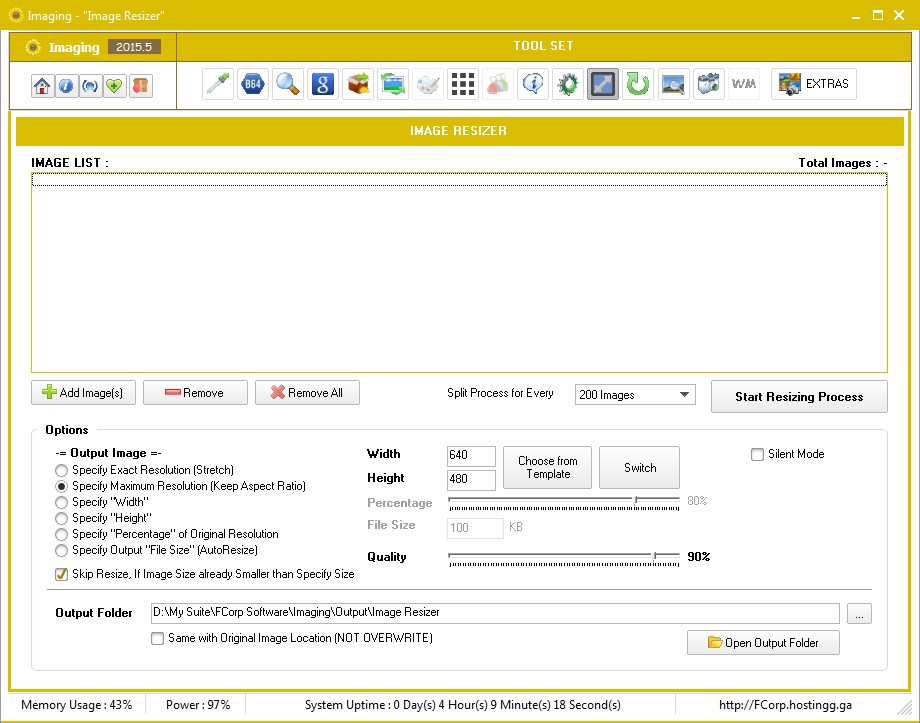
FCorp Imaging is a comprehensive suite of image tools designed for diverse photo and graphics manipulation tasks. It offers a range of functionalities from screen capture and image editing to batch processing and file management. by Fahmy Corporation

Commercial
Platforms: Windows
Screenshots:

Comparison Summary

Color Cop and FCorp Imaging are both powerful solutions in their space. Color Cop offers color cop is a free and lightweight multi-purpose color picker utility designed for web designers, graphic artists, and developers working on microsoft windows. it allows users to easily identify, select, and save colors from any area of their screen., while FCorp Imaging provides fcorp imaging is a comprehensive suite of image tools designed for diverse photo and graphics manipulation tasks. it offers a range of functionalities from screen capture and image editing to batch processing and file management.. Compare their features and pricing to find the best match for your needs.

Pros & Cons Comparison

Color Cop

Color Cop

Analysis & Comparison

Advantages

Highly accurate color picking from any screen location.
Supports multiple essential color formats (Hex, RGB, HSL).
Integrated magnifier aids in precise pixel selection.
Very small and lightweight, uses minimal system resources.
Available as a portable application, no installation required.
Free to use with a simple, intuitive interface.

Limitations

Limited to basic color picking and saving, lacks advanced color theory features.
User interface is functional but lacks modern design aesthetics.
No built-in features for creating or analyzing color harmonies.
FCorp Imaging

FCorp Imaging

Analysis & Comparison

Advantages

Comprehensive suite of image tools.
Highly portable, no installation required.
Efficient batch processing and file management.
Lightweight and resource-friendly.
Minimalistic and customizable user interface.

Limitations

Depth of advanced editing features may be limited compared to professional software.
Specific details on raw photo processing are not clearly outlined.
Lack of certain integrations like browser extensions or automatic uploads.

Compare with Others

Explore more comparisons and alternatives

Compare features and reviews between these alternatives.

Compare

Compare features and reviews between these alternatives.

Compare

Compare features and reviews between these alternatives.

Compare

Compare features and reviews between these alternatives.

Compare
Advertisement

Compare features and reviews between these alternatives.

Compare

Compare features and reviews between these alternatives.

Compare

Compare features and reviews between these alternatives.

Compare