Pyzo vs Atom

Compare features, pricing, and capabilities to find which solution is best for your needs.

Pyzo icon

Pyzo

Pyzo is a free and open-source interactive computing environment designed for Python, offering a lightweight and user-friendly platform for development, experimentation, and data analysis. by Pyzo.org

Open Source
Platforms: Mac OS X Windows Linux
Screenshots:
VS
Atom icon

Atom

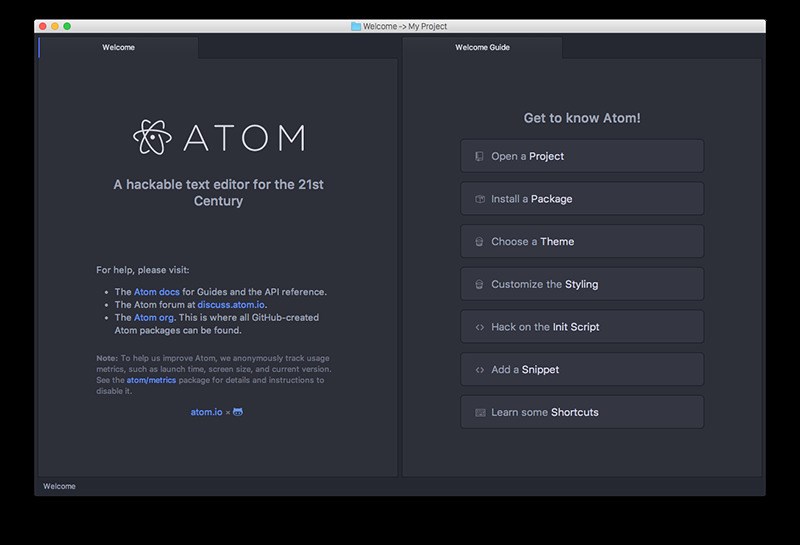
Atom is a highly customizable and extensible open-source text editor developed by GitHub. Built on Electron, it provides a modern, hackable platform for developers, offering robust features like syntax highlighting, Git integration, and a vast ecosystem of packages to enhance productivity and tailor the editing experience to individual needs. by Github
Open Source
Platforms: Mac OS X Windows Linux BSD Electron / Atom Shell
Screenshots:

Comparison Summary

Pyzo and Atom are both powerful solutions in their space. Pyzo offers pyzo is a free and open-source interactive computing environment designed for python, offering a lightweight and user-friendly platform for development, experimentation, and data analysis., while Atom provides atom is a highly customizable and extensible open-source text editor developed by github. built on electron, it provides a modern, hackable platform for developers, offering robust features like syntax highlighting, git integration, and a vast ecosystem of packages to enhance productivity and tailor the editing experience to individual needs.. Compare their features and pricing to find the best match for your needs.

Pros & Cons Comparison

Pyzo

Pyzo

Analysis & Comparison

Advantages

Lightweight and fast performance.
Excellent interactive Python shell for experimentation.
Clean and uncluttered user interface.
Suitable for beginners learning Python.
Open-source and free to use.

Limitations

Fewer advanced features compared to larger IDEs.
Code completion can be less sophisticated.
Plugin ecosystem is smaller than some competitors.
Atom

Atom

Analysis & Comparison

Advantages

Highly customizable and extensible through a vast package ecosystem.
Strong integrated support for Git and GitHub.
Open-source and free to use.
Clean and modern user interface with a distraction-free mode option.
Teletype feature for real-time collaborative coding.
Active community contributing to development and packages.

Limitations

Can be less performant compared to some native editors, especially with many packages or large files.
Initial setup and configuration with packages can require some time.
Resource usage can be higher due to being built on Electron.

Compare with Others

Explore more comparisons and alternatives

Compare features and reviews between these alternatives.

Compare

Compare features and reviews between these alternatives.

Compare

Compare features and reviews between these alternatives.

Compare

Compare features and reviews between these alternatives.

Compare
Advertisement

Compare features and reviews between these alternatives.

Compare

Compare features and reviews between these alternatives.

Compare

Compare features and reviews between these alternatives.

Compare

Compare features and reviews between these alternatives.

Compare

Compare features and reviews between these alternatives.

Compare

Compare features and reviews between these alternatives.

Compare

Compare features and reviews between these alternatives.

Compare

Compare features and reviews between these alternatives.

Compare